Where Categories Appear on Devices
Once a category is assigned to a device, you see it in three places — designed so you always know what type of device you're looking at without opening it.
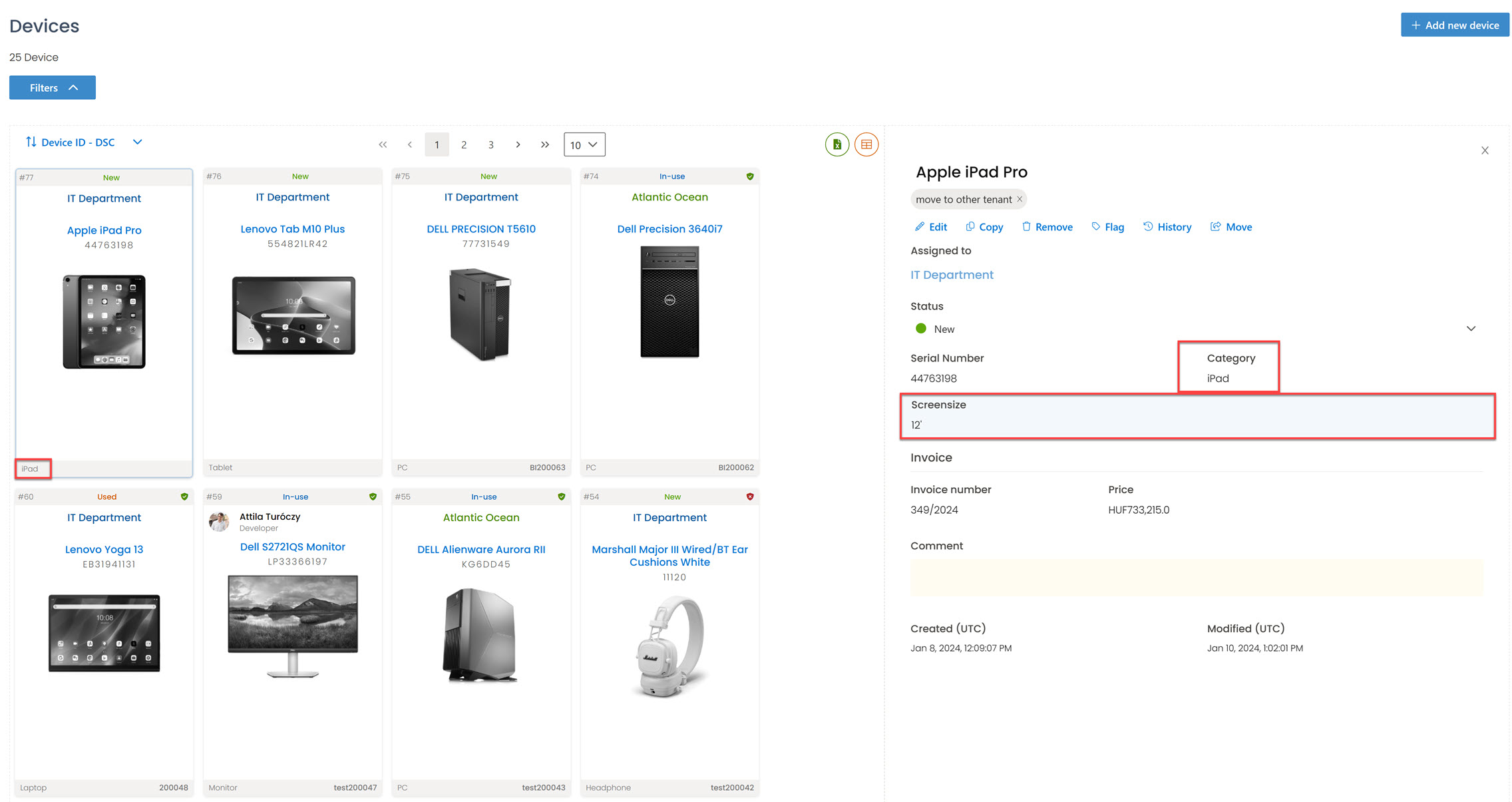
On the device tile (Card view), the category sits in the bottom-left corner alongside the device name.
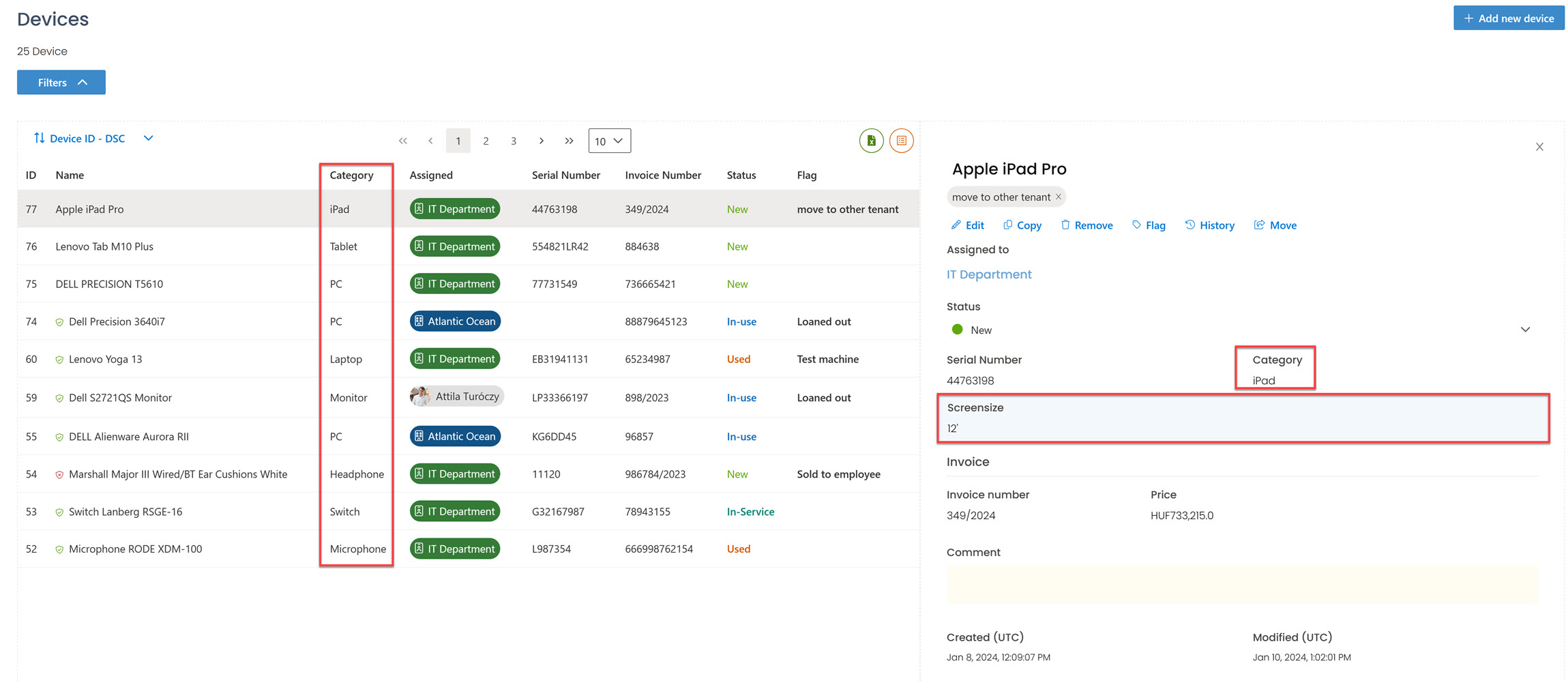
In List view, the category fills the Category column.
In the information panel (on the right when a device is selected, in either view), the category sits below the device name. If the category has attributes (CPU, RAM, IMEI…), they appear right under it on a blue background.
If you'd rather see attribute values without opening the panel, enable Show property values in device name on the category's edit view (see Add Attributes to an Existing Category). A laptop named MacBook Pro with RAM = 16 and CPU = M3 would then show as MacBook Pro (16, M3) wherever the device name appears.
