Danger Zone
Permanently delete a tenant and all associated data. Found under Settings → System → Danger Zone.
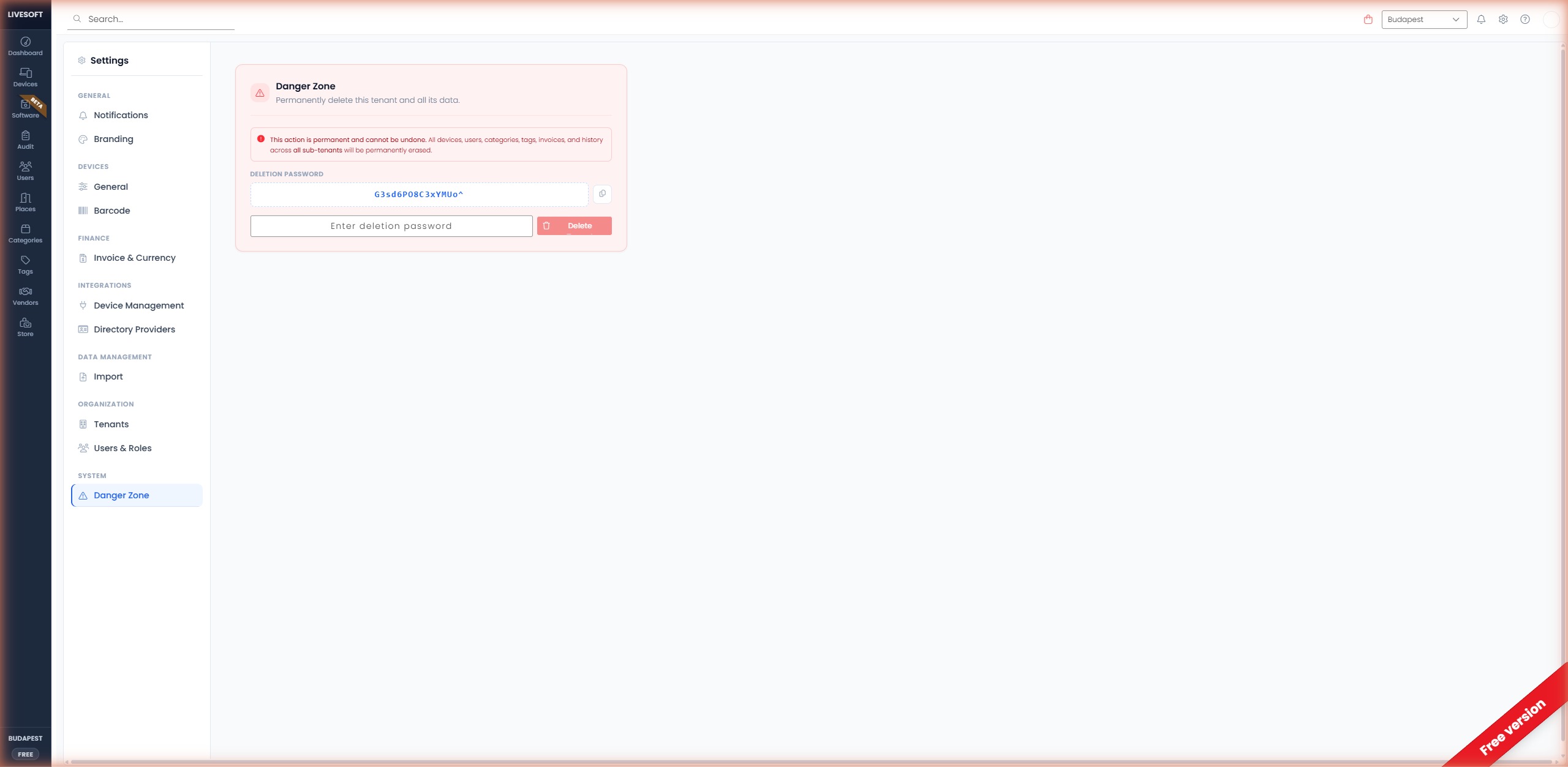
danger
This action is irreversible. All devices, categories, tags, places, vendors, invoices, and audit logs within the tenant will be permanently erased, including all sub-tenants.
info
For Professional and Enterprise subscriptions, deletion requires submitting a request via email to support@livesoft.hu. This additional step prevents accidental data loss for paying customers.
Delete a Tenant
- Navigate to Settings → Danger Zone.
- Type the generated deletion password displayed on screen into the input field.
- Click the Delete Tenant button.
- Confirm the deletion in the popup window.
Once confirmed, deletion is queued and completed within a few minutes. You will receive an email notification when the deletion is complete.
Exporting Data First
Before deleting a tenant, we strongly recommend exporting your data:
- Devices — Export from the Devices page using the Excel export icon.
- Audit logs — Export from each audit using the Export to Excel button.
- Settings — Take screenshots of custom configurations (categories, tags, places) that you may want to recreate elsewhere.