Settings Overview
Access the Settings page by clicking the gear icon in the top-right corner of the navigation bar.
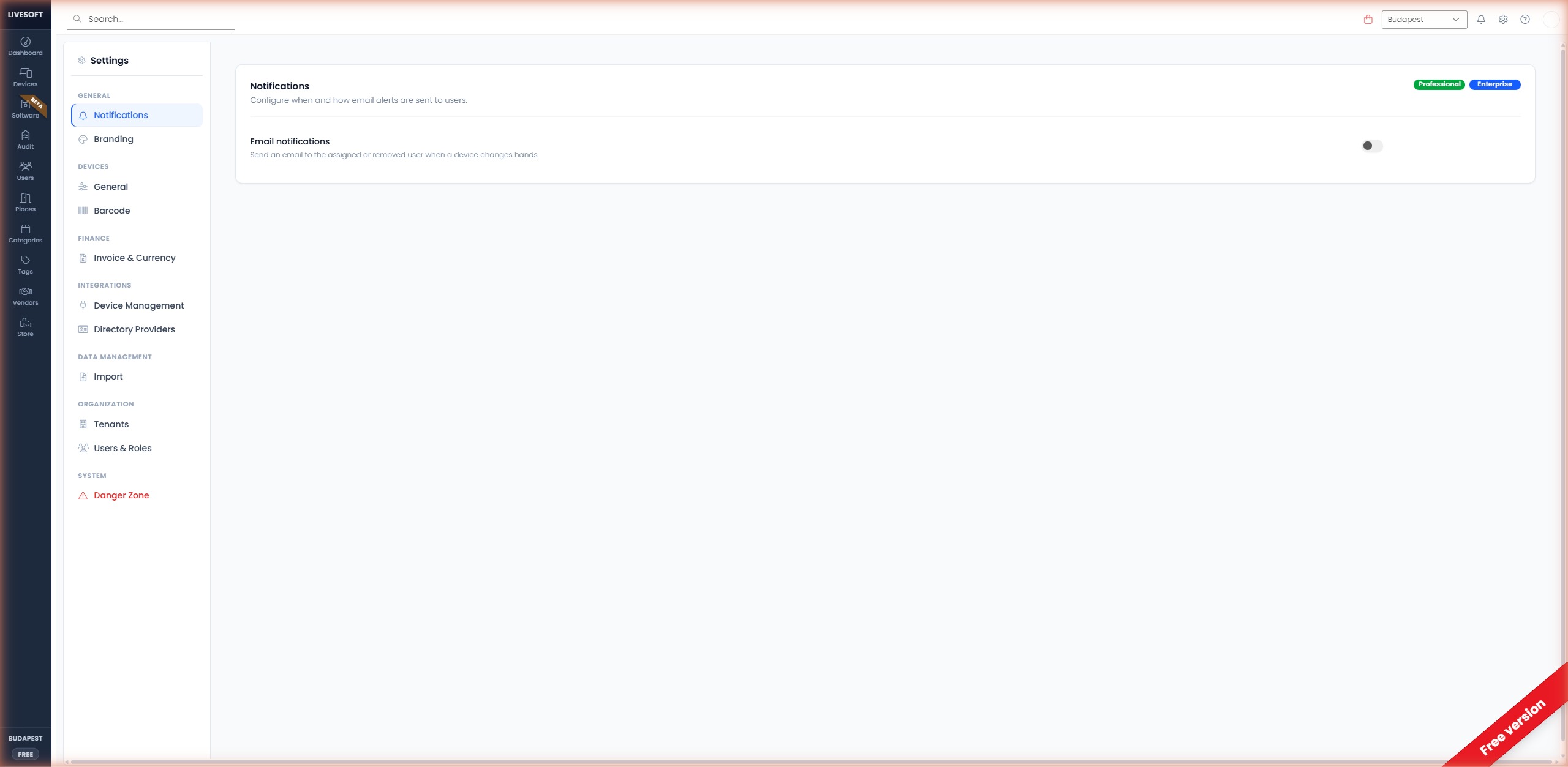
The Settings page has been redesigned with a dedicated left-side navigation that groups related options into categories. Each category is collapsible and shows only the relevant sub-sections.
tip
Some features require a Professional or Enterprise subscription. A badge next to each section header indicates the required tier.
Navigation Structure
| Group | Section | Description |
|---|---|---|
| General | Notifications | Configure email alerts for device events |
| General | Branding | Upload your company logo |
| Devices | General | Name style, default place, comments |
| Devices | Barcode | Barcode generation mode |
| Finance | Invoice & Currency | Invoice options and default currency |
| Integrations | Device Management | Microsoft Intune, Jamf, Jira |
| Integrations | Directory Providers | Microsoft Entra ID, Google Workspace, Okta |
| Data Management | Import | Bulk import from Excel templates |
| Organization | Tenants | Manage multi-location tenants |
| Organization | Users & Roles | Invite administrators and set roles |
| System | Danger Zone | Permanently delete tenant data |